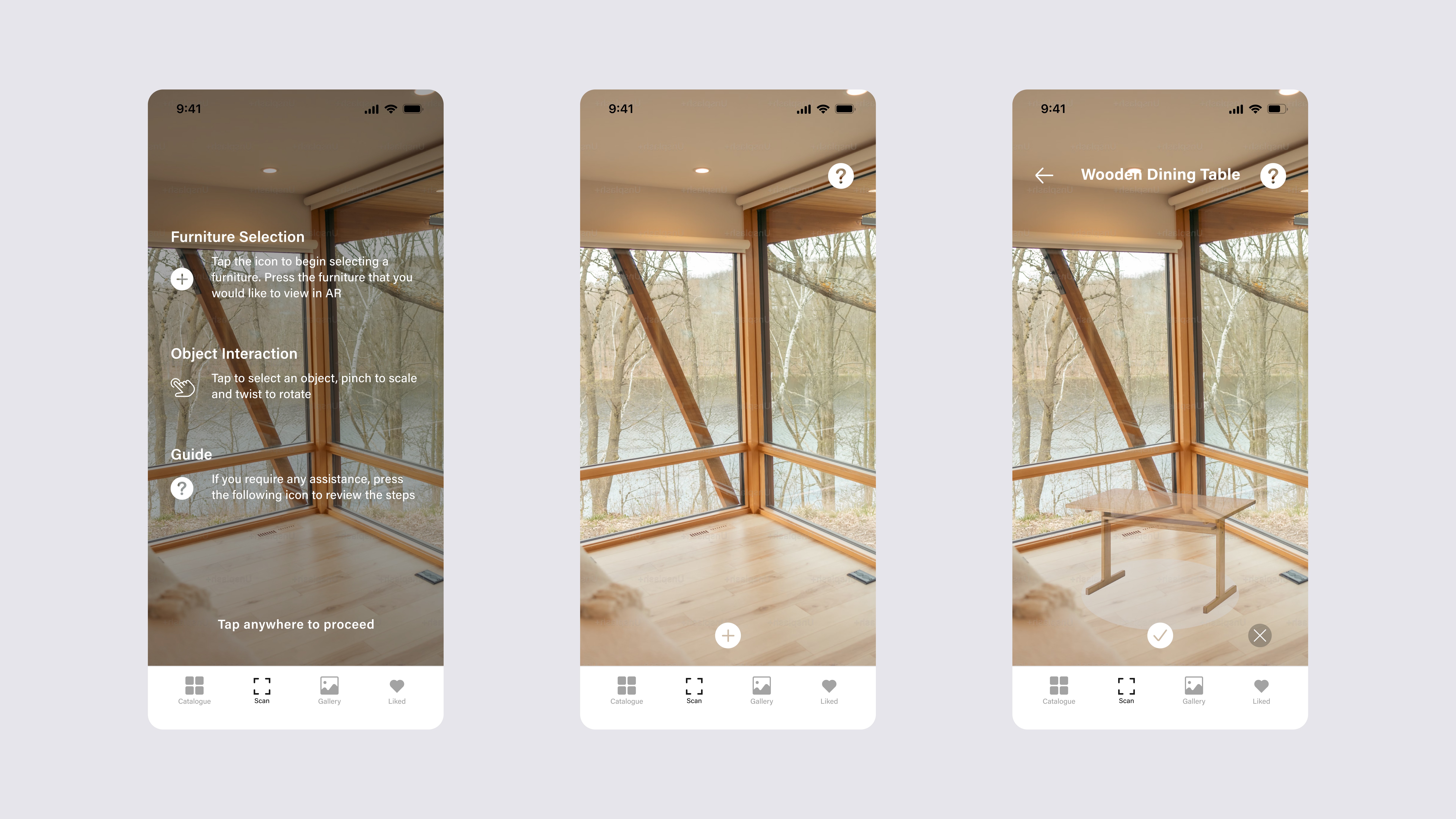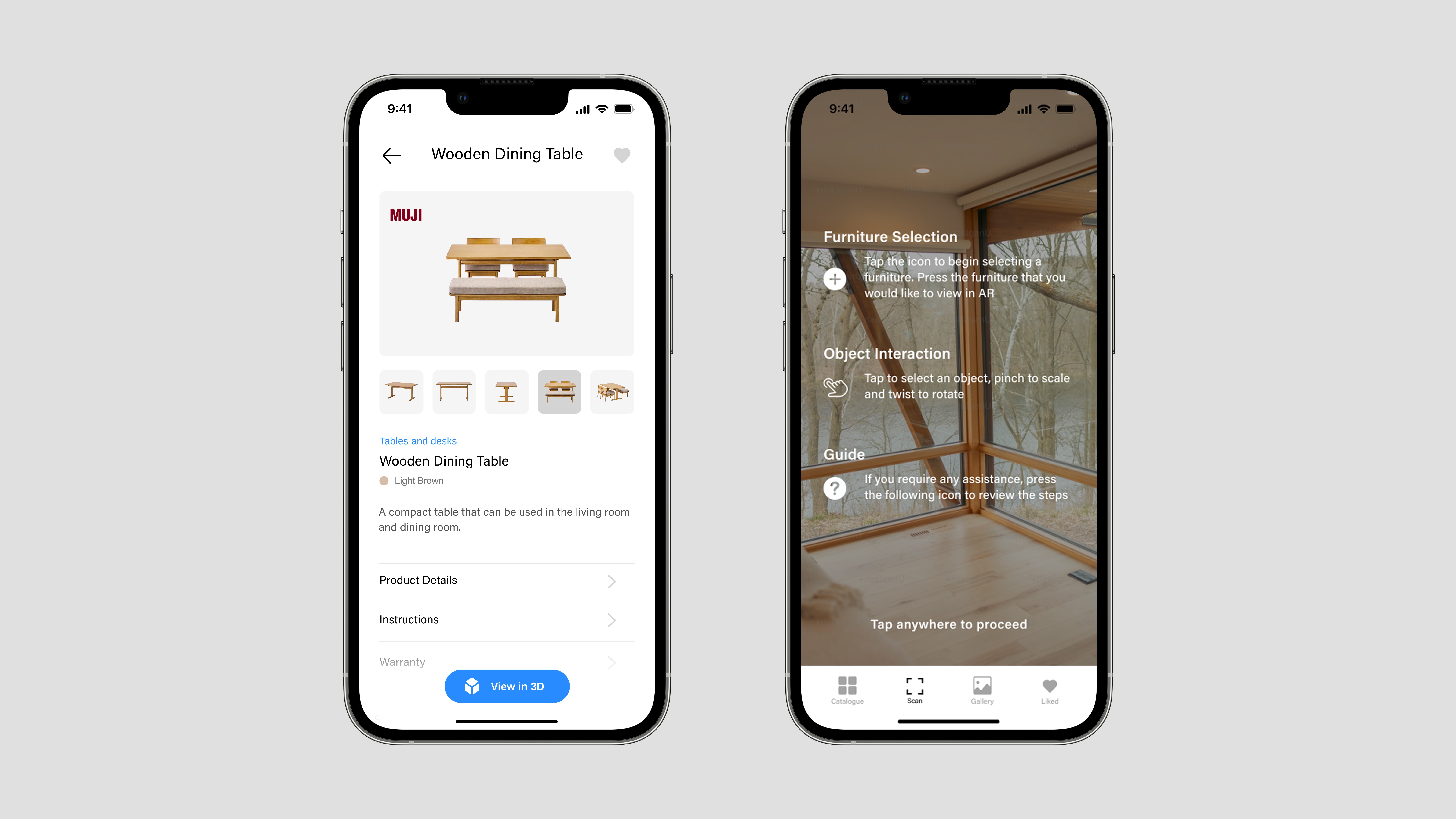
VizAR began as a concept for helping people explore furniture in a more interactive way through augmented reality. The idea was to let people browse products, view key details, and better imagine how a piece might look in their own space before making a decision.
As the project also needed to be realistically developed, the design was shaped by technical feasibility and implementation constraints. This led to a stronger focus on the browsing and product-detail experience, while keeping the AR component lightweight through selected 3D viewing and placement screens.
6 Months
Product Experience Design
RESEARCH
Before the design and development phase, my final year project team and I conducted a competitive analysis to identify the key features an AR furniture shopping app should include. Of the products we reviewed, IKEA stood out as the strongest benchmark due to its broader feature set, established reputation, and more complete integration of shopping and AR experiences. This made it our main reference point throughout the project.
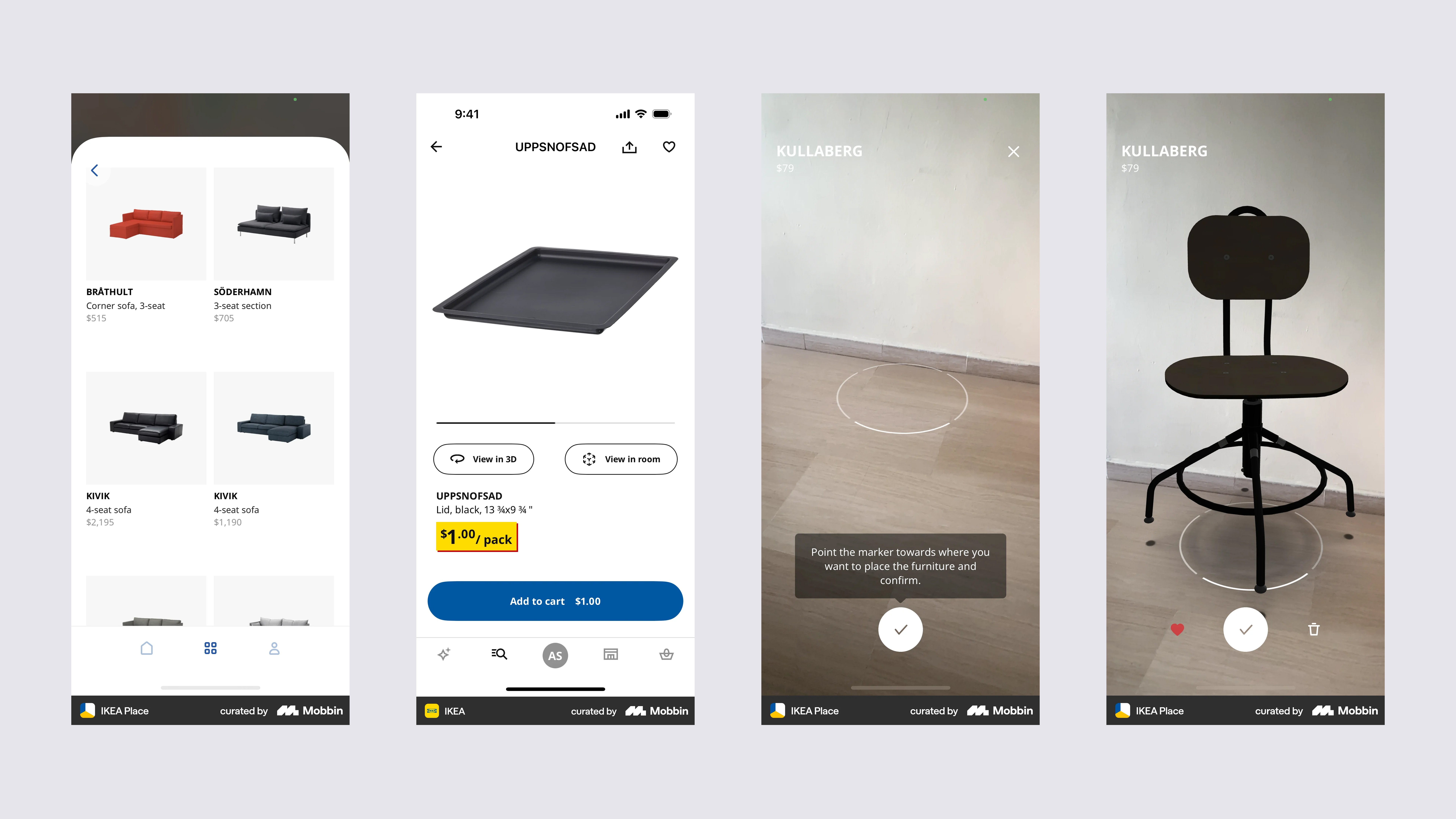
User-flow from product discovery to AR placement
DESIGN
Using IKEA Place as a benchmark, we saw an opportunity to build on what it offered by placing greater emphasis on the shopping experience. At the time, IKEA’s AR experience was largely tied to its own product ecosystem, which led us to explore a broader catalogue that could feature furniture from different companies while still supporting 3D and AR viewing. This shaped the core experience around product discovery, richer product information, and a clearer path from browsing to visualization.
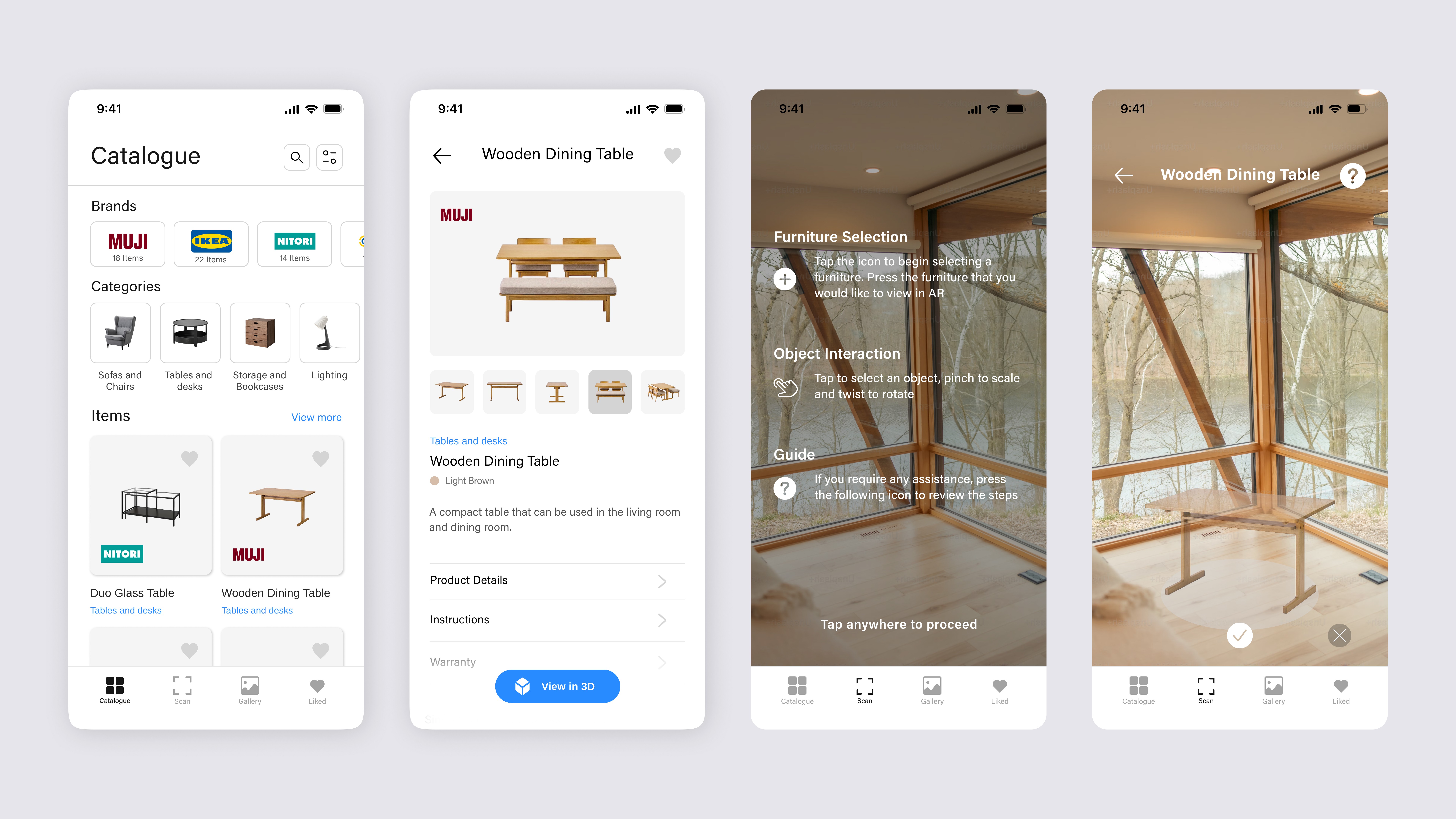
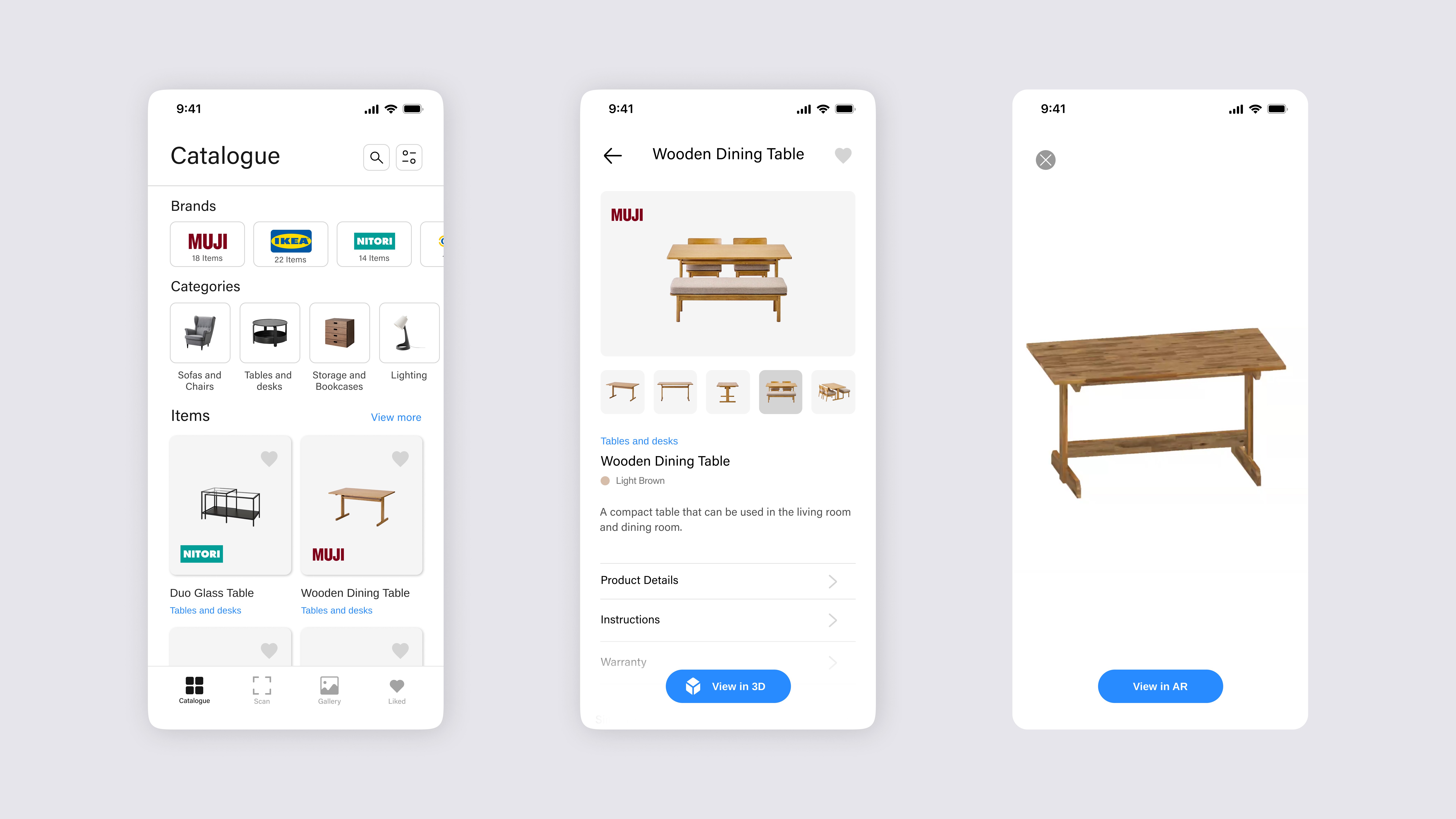
To support furniture discovery across multiple brands, VizAR adopted a more neutral browsing experience that could accommodate a broader catalogue. The catalogue was designed with brand and category filters to help narrow options, while the product page provided richer product details and a direct path into 3D viewing.
To make AR placement easier to understand, the flow includes simple on-screen guidance for selecting, positioning, and interacting with furniture. Visual cues, such as the placement ring beneath the object, help indicate where the furniture sits and the estimated amount of space it occupies.